Top Website Speed Optimization Tips for Small Businesses

Over 50 percent of American visitors leave a website if it takes more than three seconds to load. Website speed is now a critical factor that can make or break your online presence, especially with so many choices just a click away. Whether you run a small blog or a business site, understanding how to effectively optimize performance helps you keep users engaged and ensures your website stands out in a crowded digital space.
Table of Contents
Quick Summary
| Main Insight | Explanation |
| 1. Assess Website Speed Regularly | Use professional tools to evaluate your current website performance and identify specific slow areas. |
| 2. Optimize Images for Better Performance | Use modern formats like WEBP or AVIF, compress images, and consider lazy loading to enhance loading speed. |
| 3. Minimize Code and Implement Caching | Reduce unnecessary code, consolidate files, and use server-side caching to decrease load times effectively. |
| 4. Choose Reliable Hosting Solutions | Select hosting providers with good infrastructure and integrate a CDN to improve response times and reliability. |
| 5. Continuously Test and Measure Improvements | Regularly monitor performance metrics to track improvements and maintain a fast and responsive website. |
Step 1: Assess Current Website Speed and Identify Issues
Understanding your website’s current performance is the critical first step in speed optimization. Before making any improvements, you need a comprehensive snapshot of how your site currently performs, which involves running systematic speed assessments using professional tools. Start by utilizing Google’s
website performance evaluation tools to conduct an initial diagnostic. These tools will provide a detailed analysis of your website’s loading times, identifying specific bottlenecks that could be slowing down user experience. You’ll want to pay special attention to metrics like first contentful paint, time to interactive, and total blocking time. Most speed assessment tools will generate a comprehensive report showing exactly where your website might be experiencing performance challenges. A thorough
website audit goes beyond just speed metrics. Look for issues like unoptimized images, excessive script loading, server response times, and unnecessary code that might be dragging down your site’s performance. Pro tip: run these assessments from multiple devices and network conditions to get a holistic view of your website’s speed across different user scenarios. The goal is not just identifying problems but understanding their root causes and potential impact on user engagement.
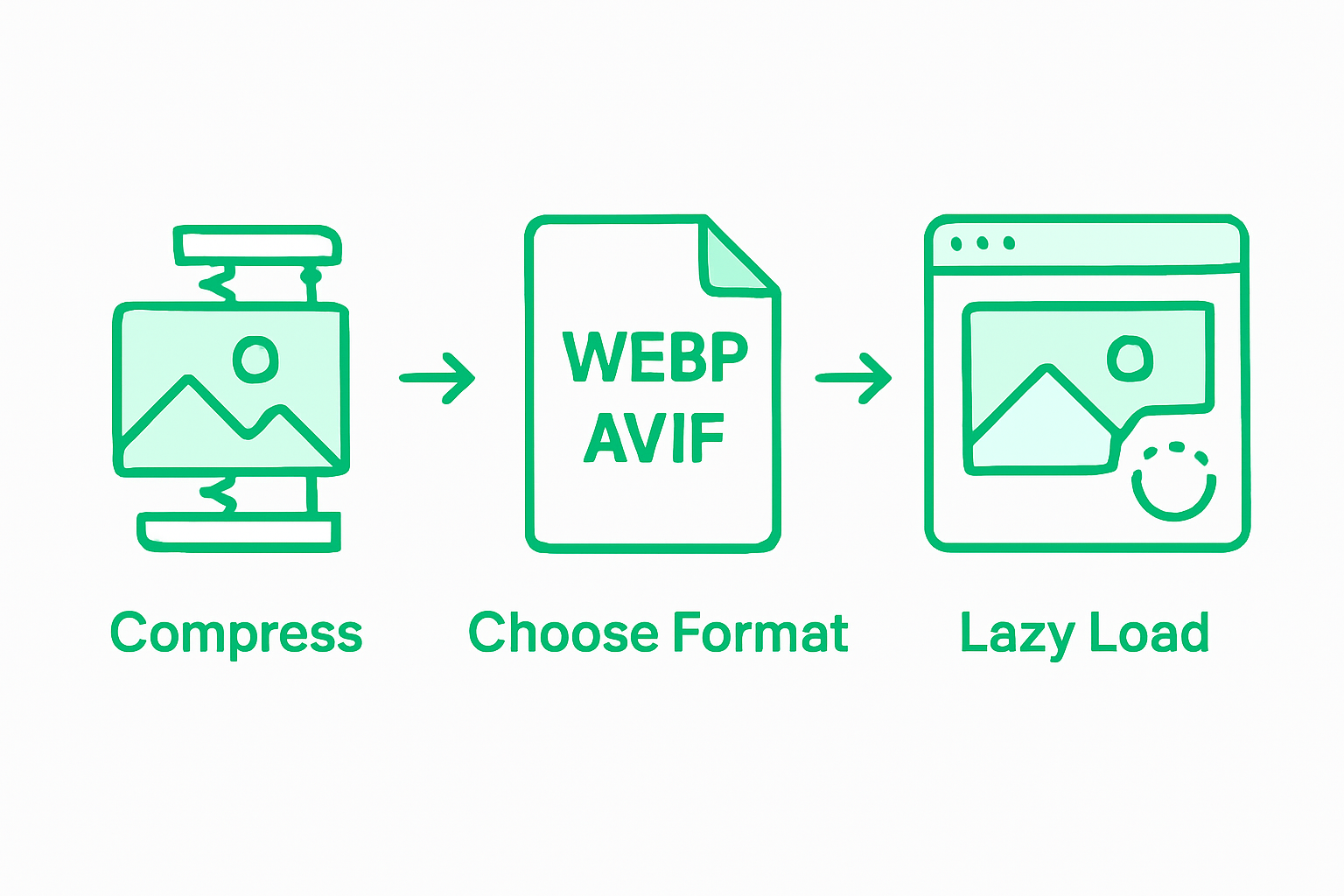
Image optimization is a critical strategy for reducing website load times and improving overall performance. Your goal is to balance visual quality with file size, ensuring that your website looks great without sacrificing speed. Start by selecting the right image format. Recent research shows that
newer web image formats like WEBP and AVIF offer advanced compression techniques, potentially reducing page load times by up to 21%. These formats provide significantly better compression than traditional JPEG files while maintaining high visual quality. When preparing images for your website, consider using tools or
WordPress plugins that automatically handle image optimization, which can resize, compress, and convert images to more efficient formats. To effectively optimize your website’s media, follow these key strategies: compress all images before uploading, use appropriate dimensions that match their display size, leverage modern image formats, and consider lazy loading techniques for images below the initial viewport. By implementing these practices, you’ll create a faster, more responsive website that keeps visitors engaged and improves your overall site performance.
Step 3: Minimize Code and Implement Efficient Caching
Code optimization and strategic caching are essential techniques for dramatically improving your website’s performance and user experience. These methods reduce server load and accelerate page loading times across different network conditions.
 Web performance research frameworks
 emphasize the critical importance of minimizing code complexity and implementing intelligent caching strategies. By reducing unnecessary code and intelligently storing frequently accessed website elements, you can significantly decrease load times. The
Web View measurement platform confirms that targeted code optimization can substantially enhance browsing performance, particularly for users with slower internet connections. To effectively minimize code and implement caching, start by removing unused scripts, consolidating CSS and JavaScript files, and leveraging browser caching. Enable server side caching mechanisms that store dynamic content temporarily, reducing database queries and processing time. Implement content delivery networks (CDNs) to distribute cached versions of your website across multiple geographic locations, ensuring faster load times for users regardless of their physical distance from your primary server.
Step 4: Leverage Reliable Hosting and Content Delivery Networks
Choosing the right hosting solution and implementing a robust content delivery network are critical steps in optimizing your website’s performance and ensuring a smooth user experience across different geographic locations. Web performance research demonstrates that Content Delivery Networks can dramatically reduce loading times, potentially decreasing page load speeds by up to 400%. This means selecting a hosting provider with strong infrastructure and integrating a CDN can transform your website’s responsiveness. When evaluating hosting options, prioritize providers that offer solid uptime guarantees, scalable resources, and built in performance optimization features. To maximize your website’s speed and reliability, consider these strategic approaches: select a hosting plan that matches your traffic needs, choose providers with data centers close to your primary audience, enable server side caching, and implement a reputable CDN that distributes your website content across multiple global servers. By distributing your website’s static content across multiple geographic locations, you ensure faster access for users regardless of their physical distance from your primary server.
Regular performance testing is crucial for maintaining and improving your website’s speed and user experience. By systematically monitoring your site’s performance, you can identify and address potential issues before they impact your visitors.
Synthetic monitoring techniques provide a powerful method for continuously evaluating website performance through simulated transactions and scripted recordings. This approach allows you to proactively detect potential problems and measure your optimization efforts across different scenarios and user interactions. Utilize multiple performance testing tools like Google PageSpeed Insights, GTmetrix, and WebPageTest to get comprehensive insights into your website’s loading times, resource usage, and overall performance metrics. When measuring improvements, focus on key performance indicators such as first contentful paint, total blocking time, speed index, and largest contentful paint. Create a baseline measurement before implementing any optimizations, then regularly retest to track your progress. Remember that website performance is an ongoing process. Consistent monitoring and incremental improvements will help you maintain a fast, responsive website that keeps your visitors engaged and satisfied.
Boost Your Small Business Website Speed and Unlock Greater ROI
Website speed is a crucial factor that can make or break the user experience. As the article highlights, challenges like unoptimized images, heavy code, and poor hosting infrastructure lead to frustratingly long load times that drive customers away. If your website is slow to load or struggles with responsiveness, you could be losing valuable traffic and conversions before visitors even engage with your content. At Finepoint Design, we understand these pain points and the specific jargon around metrics like “first contentful paint” and “largest contentful paint” that matter for site performance. We help small businesses optimize their websites to not only load faster but also deliver a seamless user experience that supports higher search engine rankings and effective online marketing. From advanced image optimization techniques to smart caching and choosing the right hosting solutions, our expert team ensures your site performs at its best. Take the first step toward a lightning-fast website that drives results by visiting
Finepoint Design. Our comprehensive website development and marketing strategies turn your site into a powerful asset that converts visitors into customers. Learn how you can improve your website speed and get tangible ROI today. Boost your site speed now and stay ahead of your competition.

Get started with a professional website speed optimization plan created just for your small business. Reach out to Finepoint Design today at
https://finepoint-design.com to transform your website into a high-performing, revenue-generating tool.
Frequently Asked Questions
How can I assess my website’s current speed and identify issues?
To assess your website’s speed, use professional speed assessment tools to generate a detailed report on loading times and performance bottlenecks. Run these assessments from multiple devices and network conditions to get a complete view of your site’s speed over different users and scenarios.
What are the best strategies to optimize images for faster loading?
Optimize your images by selecting the right file formats, such as WEBP or AVIF, and compress them before uploading. Use appropriate dimensions that match their display size and consider employing lazy loading techniques to improve initial load times.
How can I minimize code and implement effective caching?
Minimize your website’s code by removing unnecessary scripts and consolidating CSS and JavaScript files to streamline loading. Implement browser caching to store frequently accessed content, which can reduce loading times significantly during repeat visits.
What role does hosting play in website speed optimization?
Choosing a reliable hosting provider is crucial for website speed. Opt for a plan that fits your traffic needs and features solid uptime guarantees, as well as data centers close to your primary audience to ensure faster access to your site.
Regularly test your website’s performance to maintain speed, ideally once a month or after major changes. Track key metrics like first contentful paint and largest contentful paint to gauge performance improvements.
What steps can I take to improve my website’s loading speed within 30 days?
Focus on compressing images, minimizing code, and selecting a quality hosting provider while implementing caching strategies. By addressing these areas, you can significantly improve your website’s loading speed, potentially reducing load times by around 20%.
Recommended